
There is no official Google Search Console (GSC) MCP for Claude. You can keep exporting CSVs, or pay a tool to hold the link. I did it for free, with my own Google account's permission and nothing else, and I have used it most days since. GA4 comes along on the same setup. The steps, what Google charges, and the one setting that stops you signing in again every week are below.
If you are still exporting Search Console to paste into Claude
There are two ways most people get their search data in front of Claude today. Export a CSV from Search Console, upload it, ask the question, and do the whole thing again the next time the question changes. Or pay a tool that holds the connection for you, billed monthly or by usage, for something Google gives away.
It would be easier if Claude simply had access to your Search Console and GA4 data and you could ask it things directly. Which pages did Google visit this week. Has the page I published on Sunday been picked up yet. What did impressions do after the redesign.
It can. I did it for free, and I have used it most days since. This guide is the Search Console half. GA4 rides on the same permission and gets its own walkthrough next, so I mention it where it comes up and keep the focus here.
What connecting actually means
Claude can open a browser and read your Search Console, and I have watched it do it. It is slow, it breaks, and it spends a fortune in tokens reading a screen when it could be asking a question. What you actually want is for Claude to call a tool, if something gives it one. The thing that gives Claude tools is called an MCP server. You do not need to know how it works. It is a small program that sits between Claude and Google, holds permission to read your account, and turns "how many impressions did this page get last week" into a question Google will answer.
So a Google Search Console MCP is not a Google product. It is a piece of software, yours or someone else's, that has been given permission to read your property and lets Claude ask through it. Once it is running, you stop exporting spreadsheets and start asking.
There is no official one
I checked before writing this, because I assumed there must be. Searching Claude's connector list for Search Console returns nothing. Google does not publish one. Anthropic does not ship one.
That is why this question exists at all. People go looking for the connector, find nothing, and have to build or borrow one. Every working setup I know of is one of the two routes below.
Two routes, one of them free
There are plenty of tools and paid add-ons that will hold this connection for you. I did it for free, on my own computer, and that is the route I walk through in detail. I also use a hosted one, for a different reason, so here is how the two compare.
| Do it yourself, free | Use a service | |
|---|---|---|
| What it is | An open source MCP server running on your own computer, with permission you grant from your own Google account | A service like OpenSEO that connects your property for you and exposes it to Claude |
| Where your data goes | Your computer to Google and back. Nobody in between. | Through the provider's servers |
| Setup | A one time form on Google's side, then one sign in | Sign in with Google, pick the property |
| Cost | Google publishes limits, not a price | Billed by usage for keyword and backlink data. Search Console calls do not use credits. |
| Fails when | The saved permission expires. See below. | The provider does |
The first route is the one I mean by free. The second is what I would hand to someone who never wants to see a terminal window.
The free route, step by step
Everything here took me about fifteen minutes. The first half happens on Google's side and is the same whichever tool you end up using. The second half is on your computer. The words sound enterprise. The actual work is filling in a form, clicking Allow once, and typing three lines.
The open source tool I use is claude-seo, a plugin for Claude Code. Any Search Console MCP works the same way. This is just the one whose commands I can show you, and it is free. Google's own prerequisites page lists the same three things: a Google account with permission on the property, a container for the app, and the permission itself.
Part one, on Google's side
1. Check you have access to the property. Owner, full or restricted all work for reading. If you cannot see the property in Search Console's own interface, nothing below will help. I am listed as owner on mine.
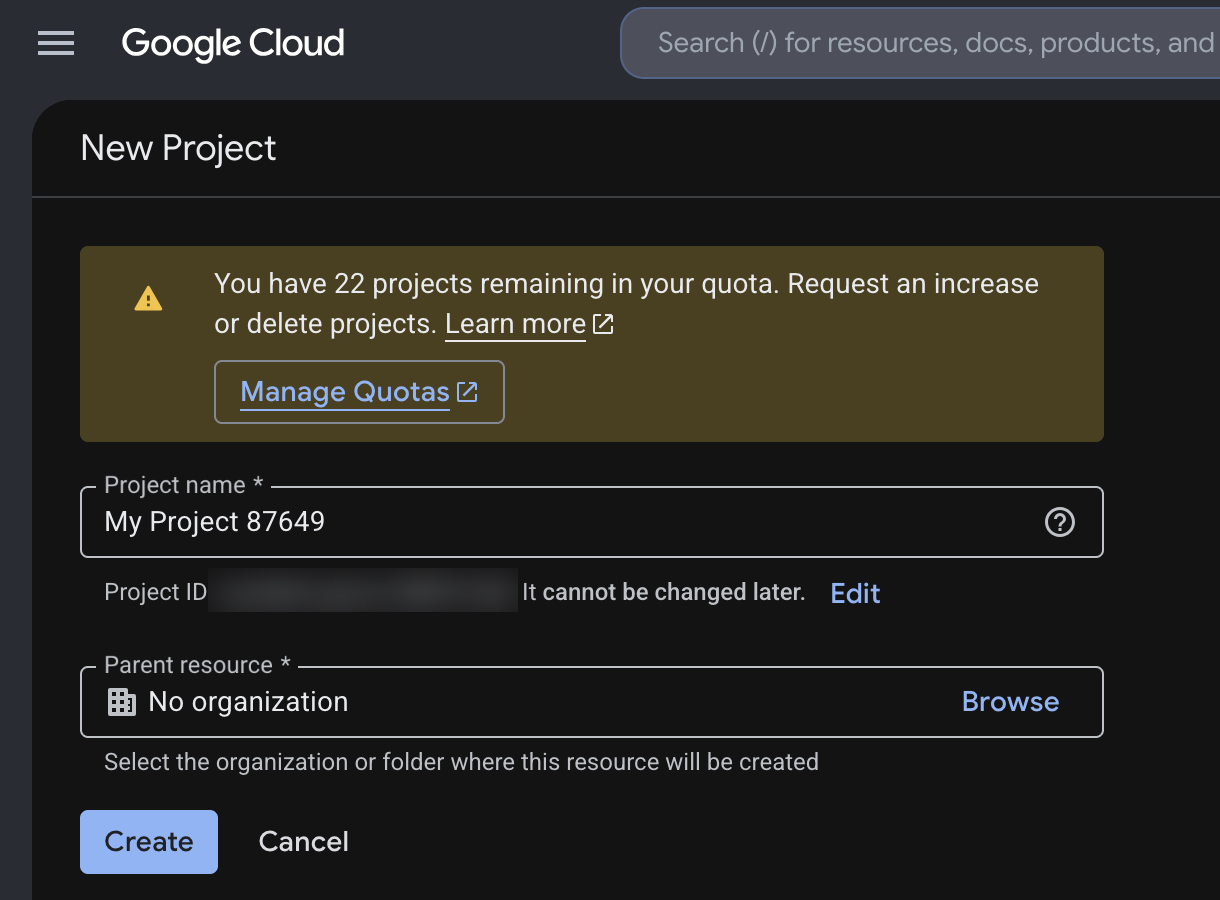
2. Create a Google Cloud project. Go to console.cloud.google.com, open the project picker at the top, and choose New Project. This is the container. It sounds like infrastructure. It is a free form with a name field, and the name does not matter. Google needs it so it knows which app is asking.
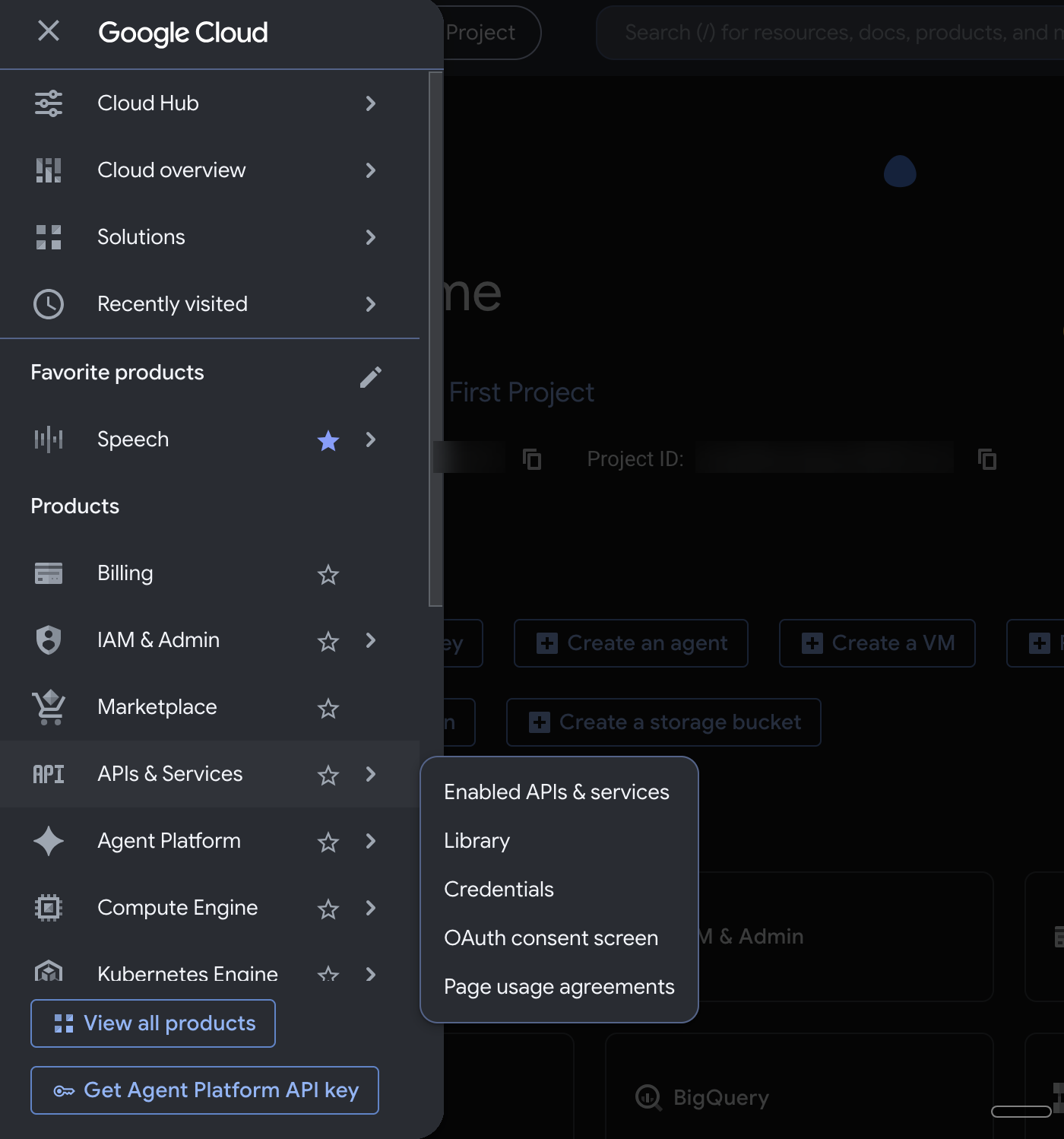
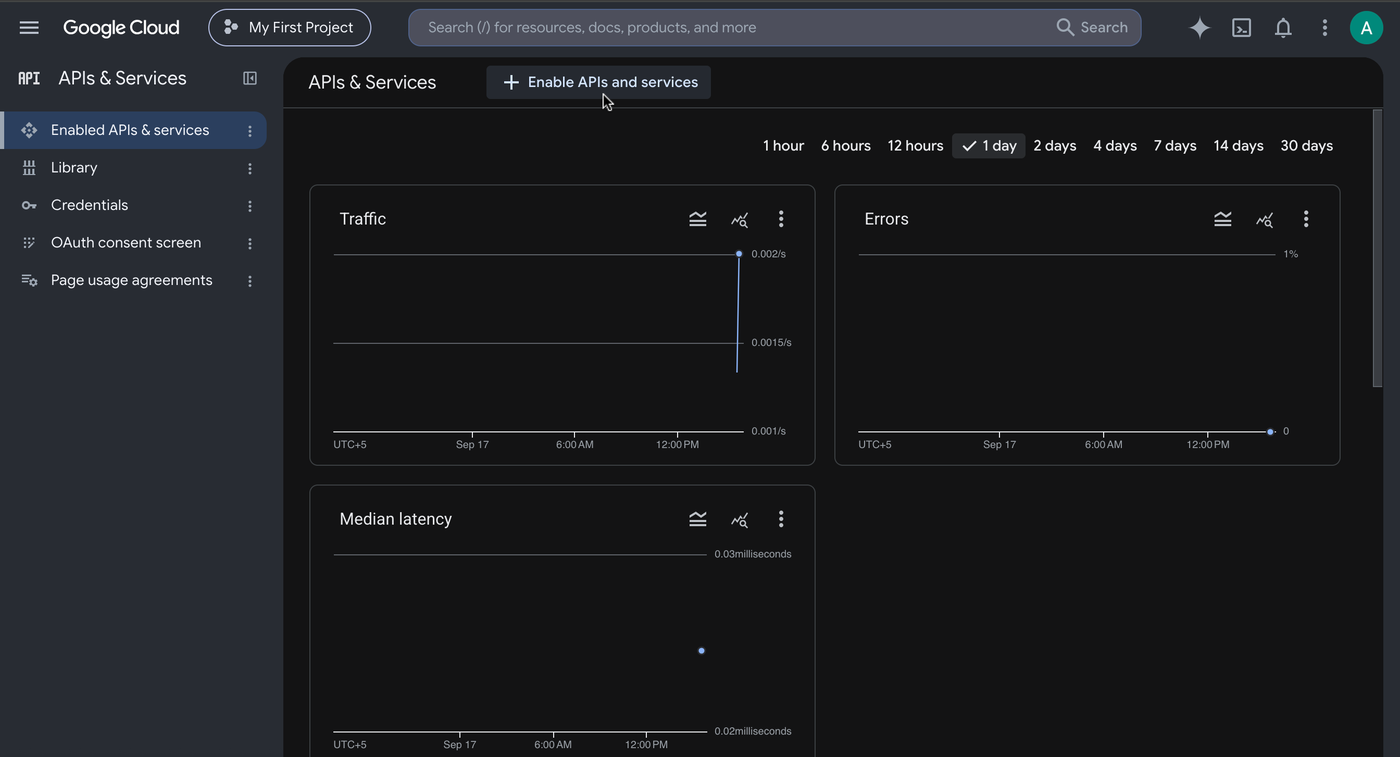
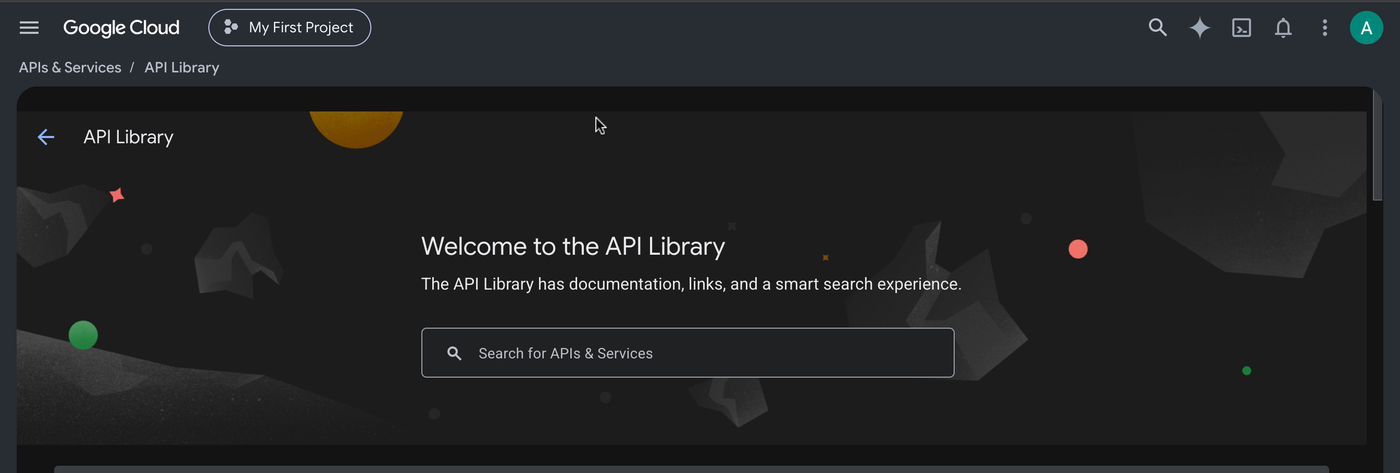
3. Switch on the Search Console API. Open the menu at the top left, then APIs and Services, then Library. Search for Google Search Console API, open it, and click Enable. This is the setting that lets programs read Search Console instead of only humans in a browser. If you want traffic figures too, enable the Google Analytics Data API while you are here. I did.
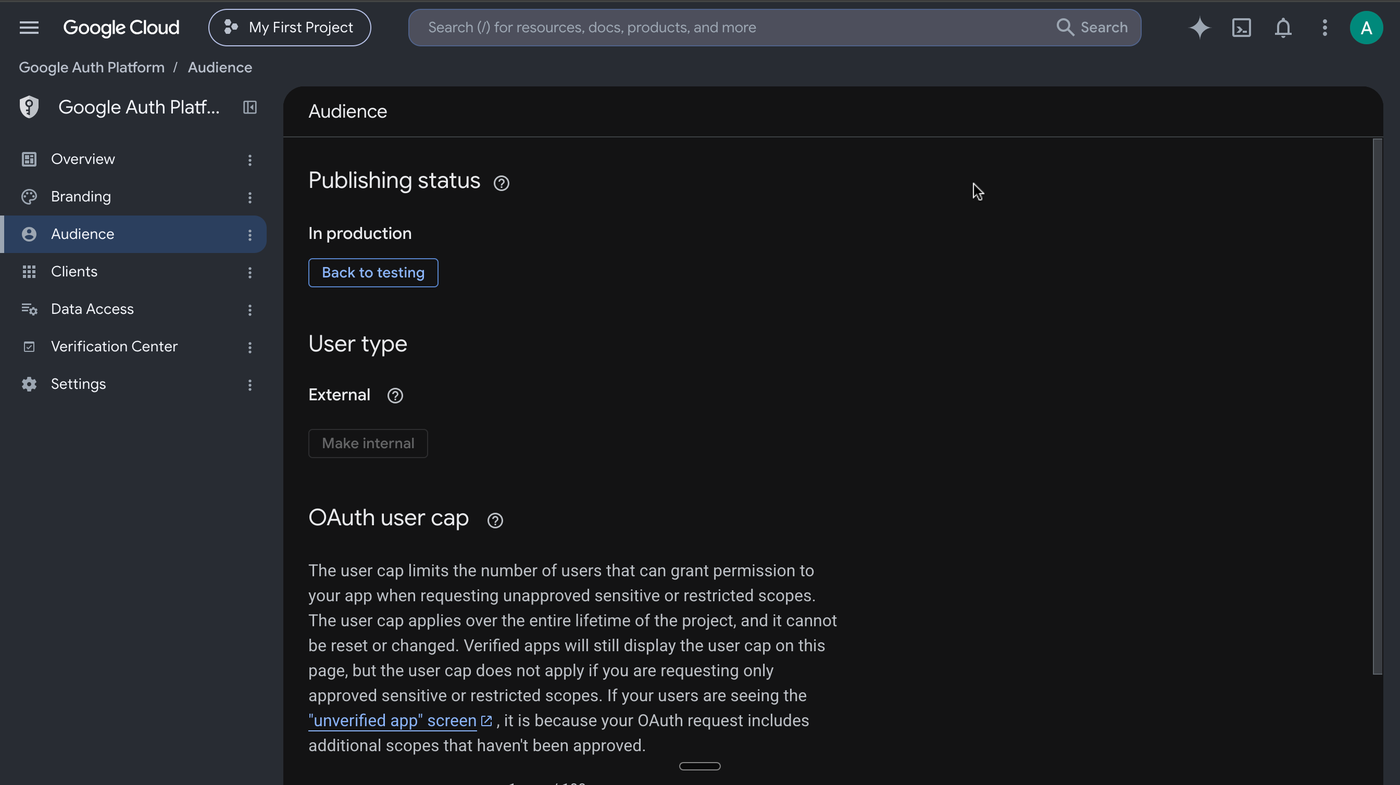
4. Set up the consent screen. In the menu, go to Google Auth Platform. Under Branding, give the app a name; that name is what you will see on the Allow screen later. Under Audience, choose External, then click Publish app. Publishing is a button, nothing more, and it matters: an app left in Testing has its saved permission expired by Google every seven days. More on that below.
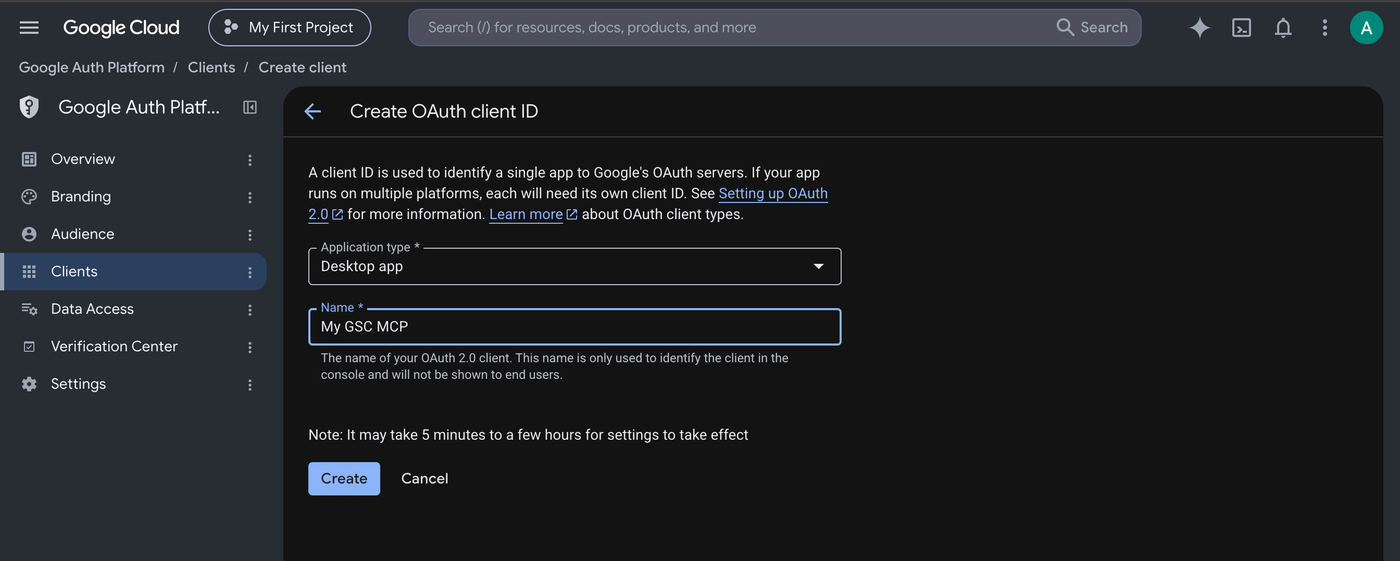
5. Create the permission slip. Still in Google Auth Platform, go to Clients, click Create client, choose Desktop app as the application type, give it any name, and click Create.
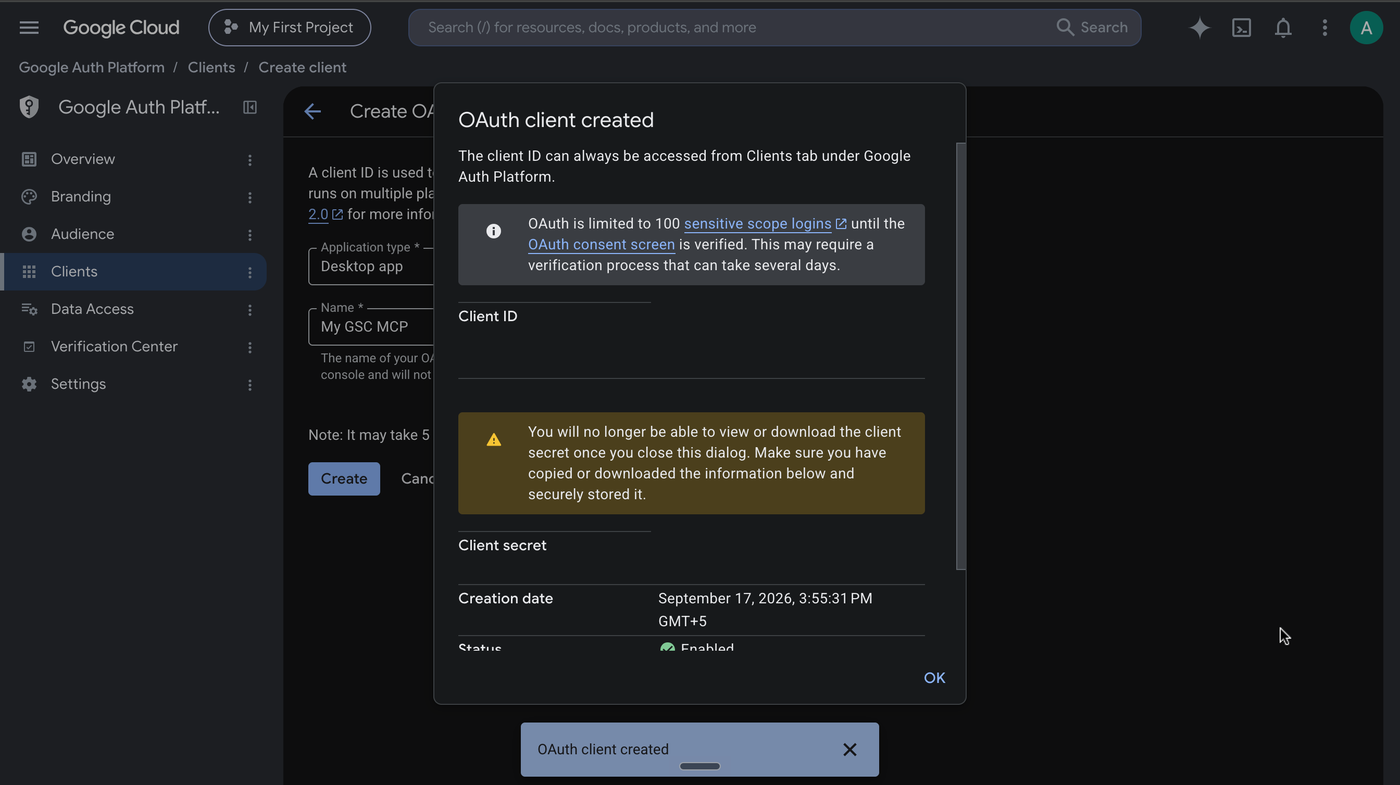
6. Download the file, immediately. A dialog appears with a client ID, a client secret, and a download button. This is the only moment Google will let you download that file. Close the dialog and it is gone for good, and you would have to create another client. Download the JSON and save it somewhere private. That file is what lets the program on your computer ask Google for access, so treat it like a password. Mine lives in a config folder that is never published or shared.
Part two, on your computer
You need Claude Code installed. Then, inside it, two lines add the tool. The first registers where it comes from, the second installs it.
/plugin marketplace add AgriciDaniel/claude-seo
/plugin install claude-seo@agricidaniel-claude-seo
7. Run the sign in. One command, pointed at the file from step six. Replace the path with wherever you saved yours.
claude-seo run google_auth.py --auth --creds /path/to/client_secret.jsonA browser tab opens. Google asks which account; pick the one that owns the property. Because the app is yours and unverified, Google shows a warning first. That is expected. Click Advanced, then the link to continue.
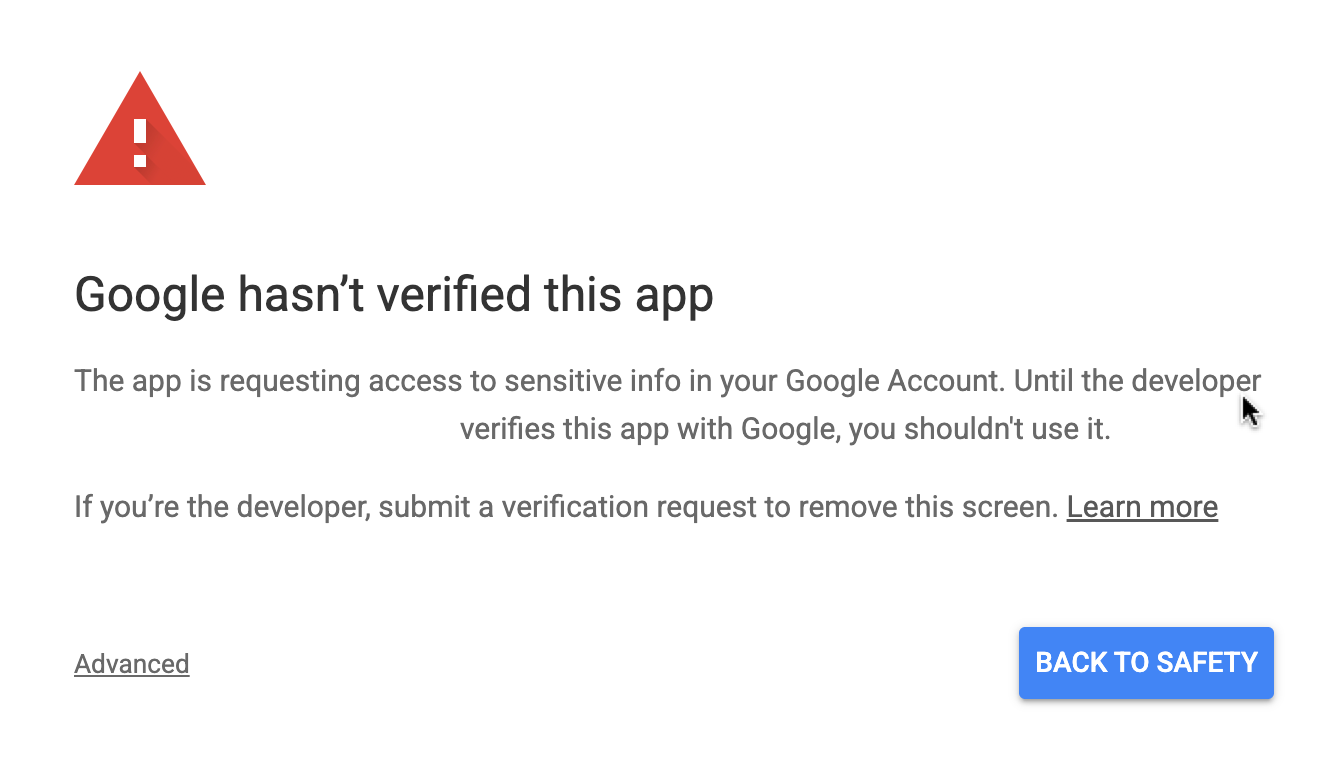
Then the permission screen, with the app name you chose in step four. Click Continue.
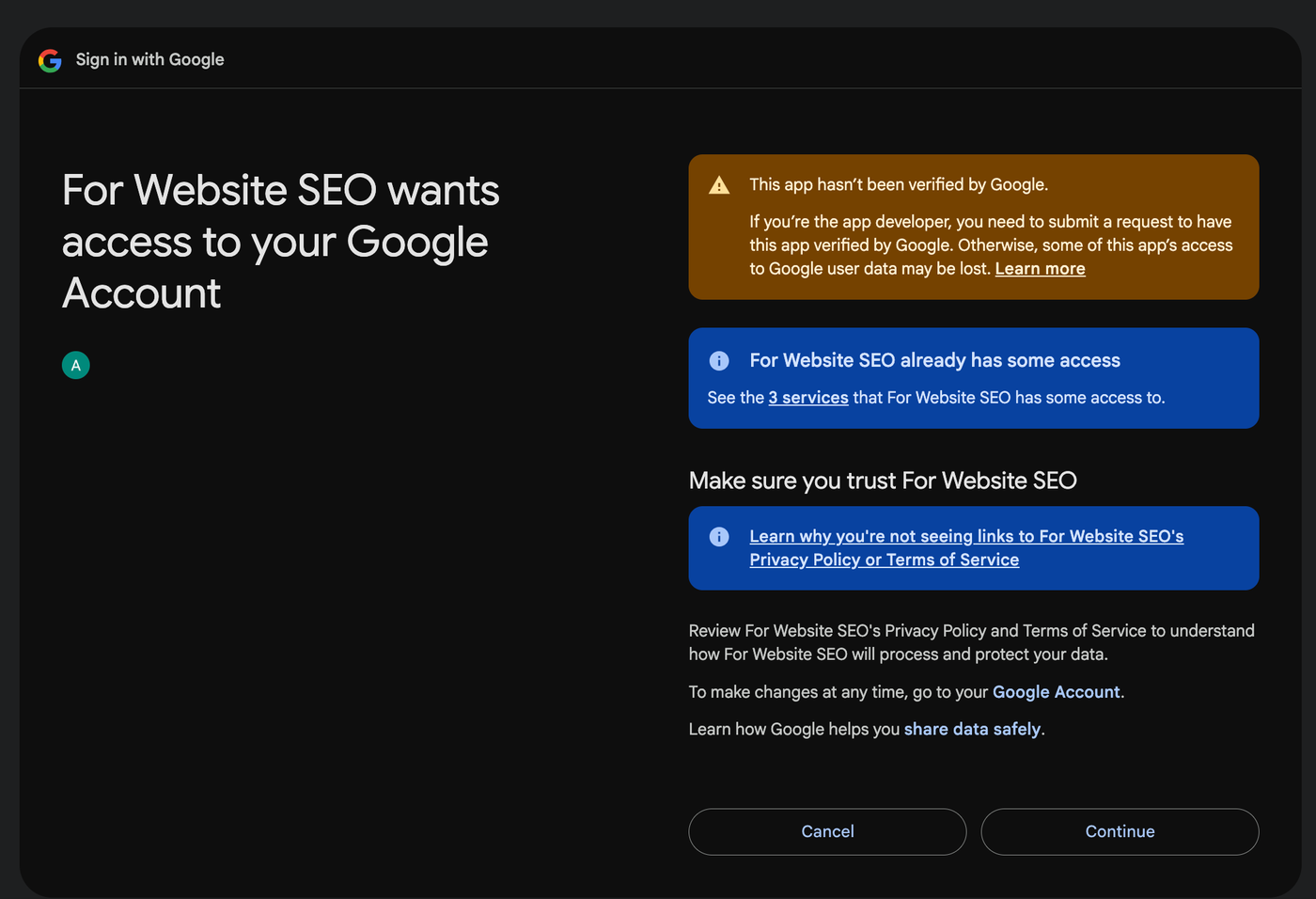
Back in the terminal it prints that the token was saved. From then on Claude can ask without you signing in again.
OAuth token saved successfully!
Token saved to: ~/.config/claude-seo/oauth-token.json
8. Tell it which property is yours. The sign in writes most of a small config file for you. Add one line to it so the tool knows which site to ask about. The file is ~/.config/claude-seo/google-api.json, and for a domain property it looks like this. The GA4 line is optional and only needed for traffic figures.
{
  "default_property": "sc-domain:yourdomain.com",
  "ga4_property_id": "properties/123456789"
}
9. Prove it with a real question. Ask for the list of properties on the account. Yours should come back with your role next to it; mine says owner. If that list ever comes back empty, the connection is not working, whatever any status message says.
claude-seo run gsc_query.py sites --json{
"sites": [
{ "url": "sc-domain:ali-kamran.com", "permission": "siteOwner" }
]
}Two things caught me on step seven. If you are signed into several Google accounts, the browser will land in whichever one it feels like, so sign out of the others first or you will grant permission from the wrong account. And if the browser never opens, an earlier sign in is usually still sitting open holding the port it uses. Close it and run the command again.
What Google charges
I went looking for a price and did not find one. Google's documentation for this API publishes limits rather than a rate card:
| What you are doing | Limit |
|---|---|
| Checking one page at a time | 2,000 checks a day per site, 600 a minute |
| Pulling your performance numbers | 1,200 requests a minute per site |
| Everything else | 200 requests a minute per user |
I have paid Google nothing for this. In weeks of near daily use, including a day where I checked the same page four times, I have never been near any of those numbers. A solo consultant is not going to check 2,000 pages a day on one site.
The service route is different. OpenSEO bills by usage for keyword, backlink and results data, but its Search Console tools are marked as using no credits. So the Search Console half is free there too. You are paying for the other things it can do.
Publish the app, or you will be signing in every week
Back to step four, the Audience page. Google asks whether the app is in Testing or Published. Leave it in Testing and Google expires the saved permission every seven days. Once a week Claude will stop answering and you will have to run the sign in again. Publish it and that clock goes away. For an app only you use, publishing is a button. Google may show an unverified app warning on the Allow screen, which is fine when the only user is you.
Mine was published and the permission still expired once, on 12 September, after a period I did not record. It is the only time it has happened. Signing in again fixed it in thirty seconds.
If Claude ever stops answering Search Console questions, do not trust a status message that says connected. Ask it to list your properties. If yours comes back with your role next to it, the connection is fine and the problem is somewhere else. If the list is empty, sign in again.
What you can ask once it is connected
Anything Search Console knows, in plain English, and then a follow up question on the answer. That last part is the difference. A dashboard shows you a chart. This lets you say "now split that by country" or "compare it with the same weeks last year" without exporting anything.
The kinds of things I ask most:
- Which pages or queries gained or lost impressions this month, and by how much.
- Whether a page I just published has been picked up yet, and when Google last visited it.
- Whether Google is using the version of a page I intended, or has chosen a different one.
- What the sitemap status is, and whether anything in it is erroring.
- Since GA4 sits on the same permission, what those same pages did in traffic and conversions.
One example of the kind of thing a dashboard would not have surfaced. A page I published on 7 September sat in Google's queue for eight days without being fetched, while my homepage was visited twice in the same window. I only knew because asking was cheap enough to do every day.
Is there an official Google Search Console MCP for Claude?
Does the Google Search Console API cost money?
Why did my Search Console connection to Claude stop working?
Do I need to know how to code to connect Search Console to Claude?
Primary sources: Google Search Console API usage limits (developers.google.com/webmaster-tools/limits) · Google Search Console API prerequisites (developers.google.com/webmaster-tools/v1/prereqs) · Model Context Protocol (modelcontextprotocol.io) · OpenSEO (openseo.so) · Claude connector list search, 17 September 2026. All accessed September 2026.